
Mobile app
The Nenthol app
Our services on your phone or computer, even without a network. No app store: it installs from our site.
Nenthol is an ecosystem: services, a network of people in Benin and the Netherlands, and a platform. Each has its role:
Install the app
Free, without Play Store or App Store: an icon on your home screen, and the app opens even without a network.
The app is installed on this device.
The app, screen by screen
The offline census of a field agent. Real screenshots, fictitious data. Scroll sideways.
-
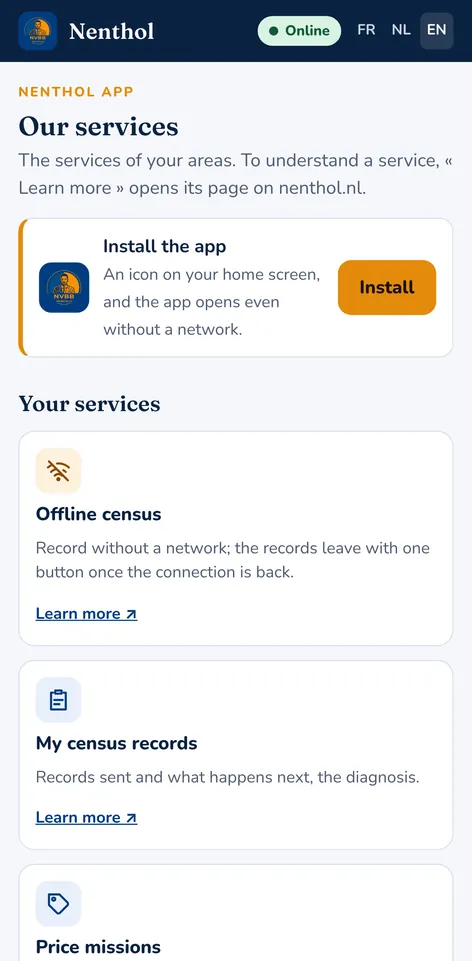
1. Your services The home screen shows the services of your area; « Learn more » opens their page on our site.
-
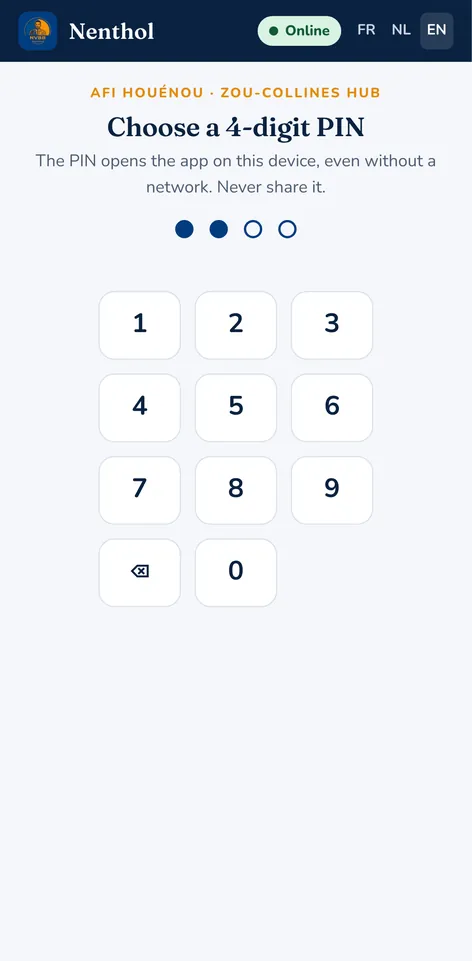
2. Your PIN Once with a network: sign-in with an email code, then a 4-digit PIN to open the app without a network.
-
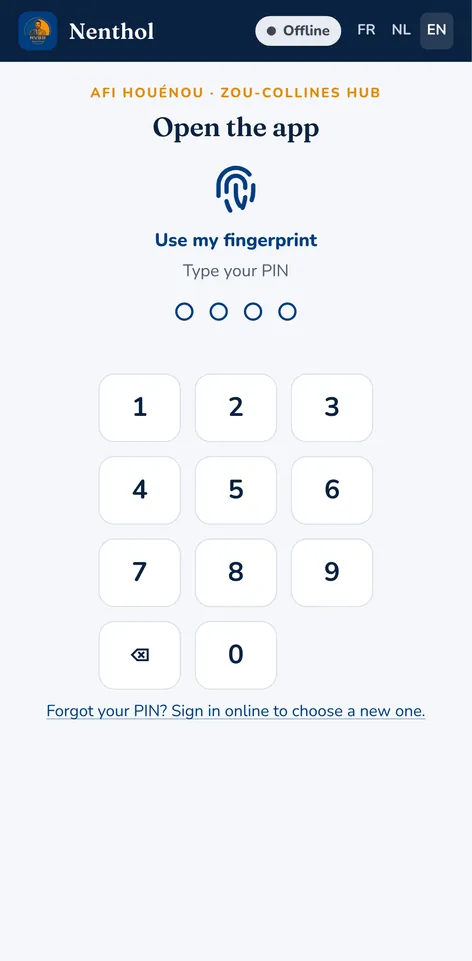
3. Your fingerprint If the phone allows it, the fingerprint (or face) opens the app; the PIN remains possible.
-
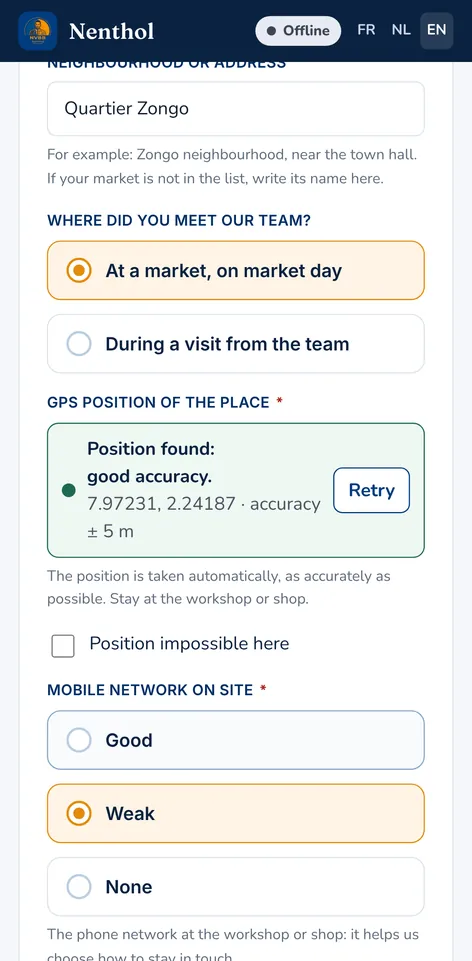
4. No network, with GPS The form works offline; the GPS position is taken automatically, with its accuracy.
-
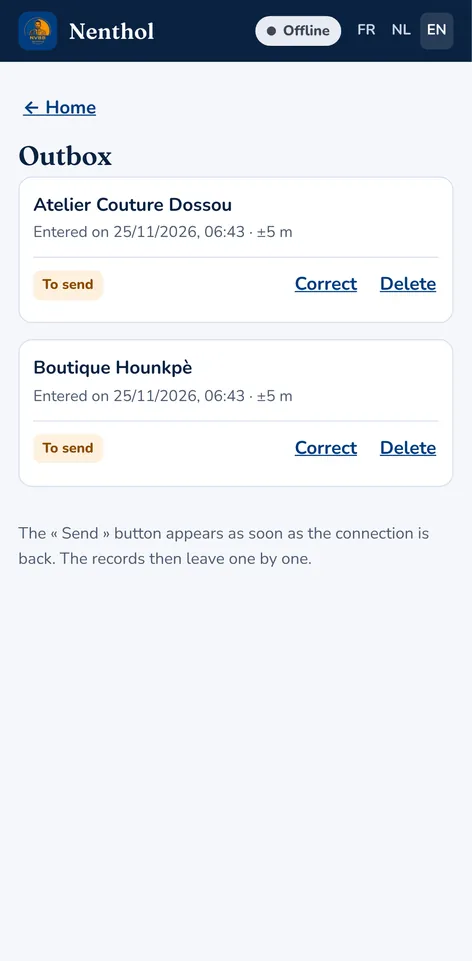
5. Outbox, offline Records wait on the device. Without a network, no « Send » button.
-
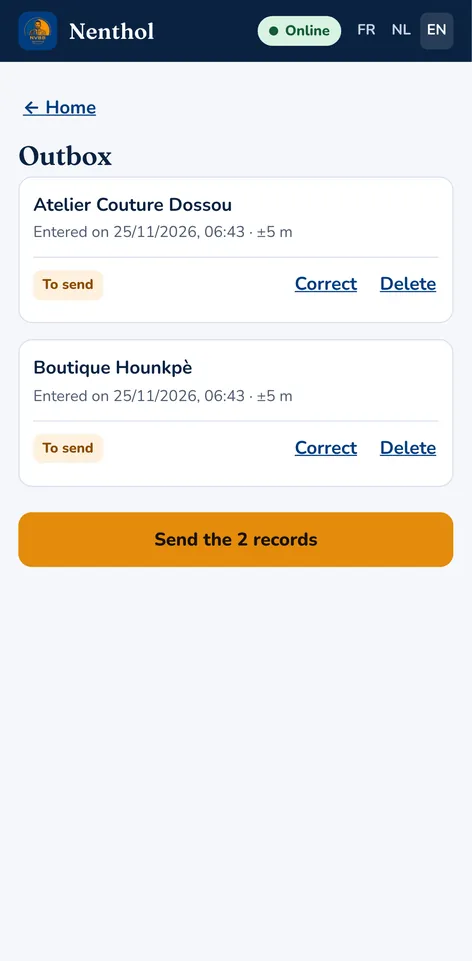
6. The network is back The « Send » button appears as soon as our server answers.
-
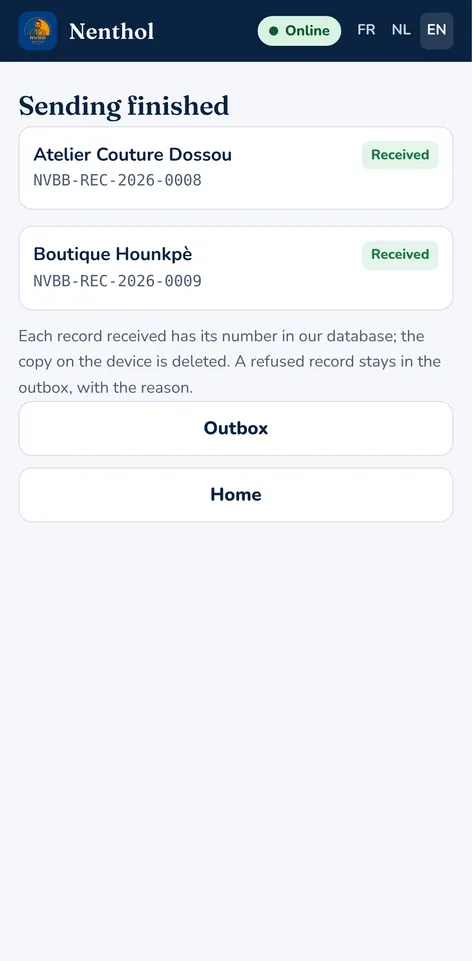
7. Confirmation Each record gets its number; the copy on the device is deleted.
The services of the app
The app home screen shows the services of your area. Each service has its page on our site.
- AgentsOffline censusField agents: records entered without a network, sent with one button.Learn more →
- AgentsPrice missionsPrice readings at the markets of the hub.Learn more →
- CouriersDeliveriesParcels to collect and deliver in one’s area.Learn more →
- ArtisansWorkshop areaProducts, sales and payouts of the workshops.Learn more →
- ShopsShop areaPieces, orders and pickups of partner shops.Learn more →
- CustomersOrder trackingWhere an order is, with its number.Learn more →
How to install it
Android (Chrome)
- Open nenthol.nl/app in Chrome.
- Tap « Install app » (or the ⋮ menu › « Install app »).
- The Nenthol icon appears on the home screen.
iPhone and iPad (Safari)
- Open nenthol.nl/app in Safari.
- Tap Share (the square with an arrow pointing up).
- Choose « Add to Home Screen », then « Add ».
Computer (Chrome or Edge)
- Open nenthol.nl/app.
- Click the install icon in the address bar, or « Install the app » above.
- The app opens in its own window.
Without a network: how it works
Records are stored in the phone or computer, each with a unique identifier and the date and time of entry. The lists (municipalities, markets, trades) are already there.
A 4-digit PIN opens the app without a network; after 5 errors it locks until the next online sign-in. The fingerprint (or face) can replace the PIN.
It only appears with a real connection to our server. Records leave one by one; our server checks everything again and answers for each. A record sent twice is saved only once.
The position is requested as soon as the form opens, with the best possible accuracy, and requested again while it is poor. If location is off, the app explains how to turn it on; without a position, a reason must be given.
Security and data
- Your fingerprint or face stays in your phone: we never receive or keep it. We only keep a public key, used to check that it really is your device.
- The PIN is never stored in readable form, neither on the device nor with us.
- The device keeps only your own records, until our server confirms it has received them.
- Lost your phone? Let us know: our team turns the device off, and it can no longer send anything.
- On iPhone, Apple may delete the data of an app not opened for several weeks: send your records regularly.
Frequently asked questions
What is the Nenthol app?
It is the app of our services: offline census, price missions, deliveries, workshop and shop areas, order tracking. The nenthol.nl site presents and documents our ecosystem; the app delivers the services and links to the site for explanations.
Do I need the Play Store or the App Store?
No. The app installs from our site: on Android with Chrome (« Install app »), on iPhone with Safari (Share › « Add to Home Screen »), on a computer with Chrome or Edge. It is free and updates itself.
How do I record without a network?
Once with a network, the agent signs in with the code received by email and chooses a PIN. After that, the app opens without a network, saves records on the device and sends them with one button once the connection is back. Each record then gets its NVBB-REC number.
Is my fingerprint sent?
No, never. Your fingerprint or face stays in your phone: we do not receive or keep it. We only keep a public key, used to check that it really is your device. The PIN always remains possible, and you can turn the fingerprint off in the app settings.
Why is the GPS position requested?
The position lets our team find the workshop or shop and check the record. It is taken automatically when the form opens, with its accuracy. If it is impossible (location blocked, phone without GPS), the agent gives the reason.
I lost my phone or forgot my PIN: what now?
Lost phone: let our team know, and they turn the device off; it can no longer send anything. Forgotten PIN: sign in online with the email code and choose a new PIN; your records stay on the device. After 5 wrong PINs, the app locks until that online sign-in.
Last updated: